China’s electric vehicle market is expanding quickly, and charging software now shapes the daily driving experience. The International Energy Agency’s Global EV Outlook 2024 reported more than 4 million public charging points worldwide by the end of 2023. China represented over half of that global network. The scale is impressive. It also creates confusion.
China’s charging ecosystem includes State Grid’s e充电, Star Charge, TELD, Xiaoju Charging, and several regional platforms. Each app may display different prices, connector availability, parking fees, and payment rules. The China Electric Vehicle Charging Infrastructure Promotion Alliance reported more than 12 million charging facilities nationwide by the end of 2024. More stations mean more choice. They also mean more accounts, receipts, and inconsistent data.
This guide reviews China’s top 10 EV charging apps through practical user needs. It examines station coverage, live availability, payment support, charging speed, map accuracy, and customer service. More importantly, it explains How to track charging sessions with apps, from the moment a connector starts charging to the final digital receipt. Look for session time, electricity usage, charging cost, service fees, and battery percentage when available. A clear record can reveal an expensive parking surcharge or an interrupted session.
The process is not always tidy. Some apps update slowly, while roaming platforms may show incomplete records. That limitation deserves attention. Users should compare app data with payment statements and vehicle records before judging charging costs. This approach follows evidence-based guidance and reflects real charging conditions across China’s fast-changing network.
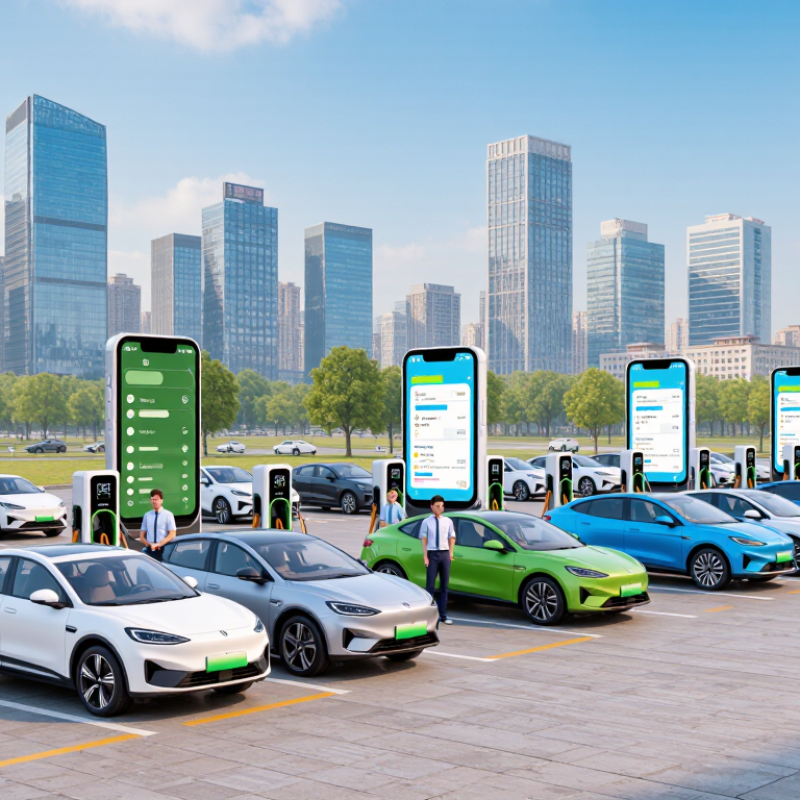
China’s top 10 EV charging apps are best understood by their daily functions, not only by popularity. A practical shortlist includes a national charging map, two major public-network apps, a municipal charging app, two electricity-provider apps, an automaker charging tool, a parking-payment app, a highway service app, and an independent price-comparison app. Together, they help drivers locate chargers, compare fees, check connector availability, and reserve selected stations.
Session tracking is usually simple. After plugging in, the app may show charging power, elapsed time, energy used, and estimated cost. Push alerts can warn when charging ends or when parking fees begin. Some records update slowly, especially underground. Keep the digital receipt until the payment is confirmed. My own experience suggests checking the station address carefully; map pins can point to a nearby entrance, not the actual charger. That small mistake wastes time.
Tips: Save two or three apps before driving outside your home city. Compare the displayed electricity fee with the service fee. Refresh the session page after connecting. If the battery percentage looks frozen, check the vehicle screen and charger display too. Reviews are useful, but they can be outdated. Apps also differ in payment methods, language support, and account verification. No single app is perfect, and that is worth remembering.
A brand-neutral guide to ten useful app features for finding chargers and monitoring charging sessions in China. This is a feature checklist, not a ranking of named apps.
| No. | Feature or data field | What the app may display | Availability | How it helps track a session |
|---|---|---|---|---|
| 1 | Station search and map | Nearby charging locations, distance, address, and navigation options | Common; station coverage varies by network | Helps locate a suitable charger before starting a trip or session. |
| 2 | Connector and charger details | Connector type, charger rating, and the number of listed charging points | Details depend on the station listing | Helps check vehicle compatibility and identify the intended charger. |
| 3 | Availability status | Reported states such as available, occupied, or unavailable | May be delayed or unavailable for some stations | Provides a current-status check; confirm the charger’s on-site display when needed. |
| 4 | Charging price information | Displayed electricity price, service fee, and applicable time-based pricing | Station- and time-dependent | Lets drivers review the listed charges before connecting; the final bill may depend on the session time and station rules. |
| 5 | Session start and live status | Session state, elapsed time, and, where supported, charging power | Usually requires the app to support that charger and session | Shows whether a remotely initiated session is active and provides a progress check. |
| 6 | Energy delivered | Energy added, commonly expressed in kilowatt-hours (kWh) | Shown for many recorded sessions; not universal | Provides a direct measure of energy delivered during the session. |
| 7 | Session duration | Start time, end time, or total charging duration | Typically available in session records when the transaction is captured | Helps review how long the vehicle was connected or charging. |
| 8 | Live charging curve or power readings | Power readings over time, if the charger reports them to the app | Optional; depends on charger and data connection | Can help identify changes in charging speed during a session. |
| 9 | Session history and itemized bill | Past session date, station, energy, duration, and billed amount | Available when the app records or imports the transaction | Supports cost checks and comparisons across previous sessions. |
| 10 | Payment record and receipt | Payment status, transaction amount, and a downloadable or viewable receipt where offered | Payment and receipt options vary by app and station | Helps reconcile a completed session with its charge and keep a record for expenses. |
Note: App functions and data freshness vary by charging network, station, charger connectivity, and payment method. Prices and session totals should be checked against the station’s displayed tariff and the final transaction record.
It should locate chargers, show connector types, and display real-time availability. It may compare electricity and service fees. Some apps also support reservations, payment, and charging records. No app is perfect.
Check coverage near your home, workplace, and regular highways. Look for accurate speed, plug, parking, and operating-hour details. Confirm language support, payment options, and account requirements. Recent user updates can reveal problems, but they may be outdated.
Download it from an official app store. Confirm the listed developer information. Review location and payment permissions carefully. Unrelated permissions deserve questions. Also check phone compatibility.
Filter the map by connector type, charging speed, parking access, and availability. Check the full address before driving. A map pin may mark a nearby entrance instead of the charger. That small error wastes time.
Confirm the charger number on the machine screen. Scan the station code or select the matching charger in the app. Some stations require identity verification or a prepaid balance. Watch the first few minutes.
The app may show charging power, elapsed time, energy used, and estimated cost. Battery progress should update gradually. If the percentage freezes, check the vehicle screen and charger display. Refresh the session page.
Compare the electricity fee with the service fee before starting. Check whether parking charges begin after charging ends. Push alerts may provide warnings. Keep the digital receipt until payment is confirmed. Fees can still be unclear sometimes.
Record the error message and charger number. Check the physical charger display. Try stopping the session through the app or machine screen. Confirm the final amount and charging time. Contact the station’s official support channel if needed. Keep a backup app ready.
China’s EV charging apps help drivers locate compatible stations, compare charging fees, check availability, and manage charging sessions in one place. This overview explains how to choose and install a suitable app, create an account, set payment options, and use map or filter tools to find a convenient charger. It also describes the usual steps for scanning a code, selecting a charging port, and starting a session safely and efficiently.
The guide answers “How to track charging sessions with apps” by showing how users can monitor charging status, battery progress, estimated completion time, electricity use, and total costs in real time. It also explains how to review session history for personal records and identify common issues, such as failed payments, inaccurate status updates, unavailable chargers, or interrupted charging. Practical troubleshooting suggestions help users restart, refresh, contact support, or switch to another available station when necessary.

 Amp Link Charger