Buying or using an EV charger is not as simple as matching a plug. Your car, the charging station, and the power supply must work together. A connector may fit while charging remains slow, limited, or unavailable. That detail can surprise drivers arriving at a public station with a low battery.
Why some EV chargers are incompatible with certain cars often comes down to connector standards, charging type, vehicle limits, or software requirements. For example, a car designed for AC charging may not use a DC fast charger through the same port. Even when a station supports the right connector, your vehicle may accept power more slowly than the charger can provide. Compatibility is not always all-or-nothing.
This guide explains how to check the details before you plug in. Start with your owner’s manual or the automaker’s official charging information. Confirm the connector type, AC and DC capabilities, maximum charging rate, and any adapter restrictions. Then compare those details with the charger’s label or network listing. A small mismatch can matter. So can an outdated app listing.
Real-world conditions also affect results. Cold weather, a nearly full battery, or a busy station can reduce charging speed, even when the equipment is compatible. It is easy to blame the charger too quickly. Check the car’s display and the station’s instructions before deciding. This guide cannot replace vehicle-specific advice, and specifications can change between model years. A little checking beforehand can prevent wasted time—and a frustrating stop.
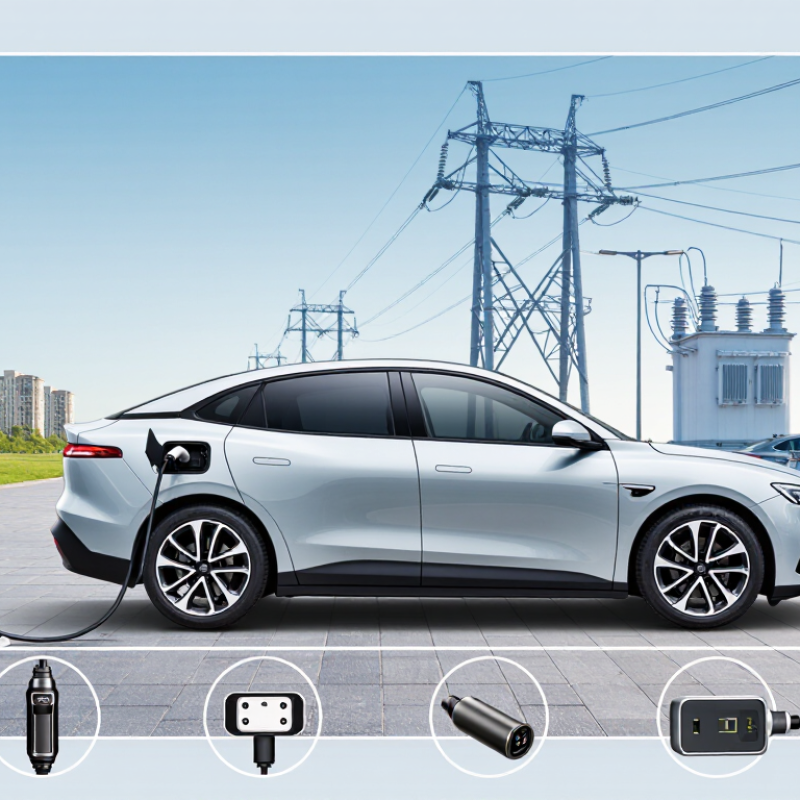
Start at the charge port, not the charging station. Open the flap and compare the inlet’s shape, pin layout, and any markings with your vehicle’s manual. A small label inside the flap may name the connector standard. Take a clear photo in daylight if the markings are hard to read; glare can make the details frustratingly unclear.
Check whether your car has one combined inlet or separate ports for regular and rapid charging. The upper section may accept one connector type, while the lower pins support direct-current charging. Similar-looking plugs are not necessarily interchangeable. Small details matter. Confirm the exact standard listed for your model and year, since configurations can vary between versions sold in different regions.
Then verify that the charger’s connector matches the inlet and that your vehicle supports the charger’s power type. An adapter is not automatically safe or compatible; use one only when your vehicle documentation explicitly supports it. Even careful owners miss this step. I would not rely on a plug photo alone: check the manual, the port label, and the charger’s connector information before travelling.
Start with the charging section of your owner’s manual or vehicle specifications. Level 1 uses a standard 120-volt outlet in the United States, while Level 2 commonly uses 208 or 240 volts, according to the U.S. Department of Energy’s Alternative Fuels Data Center. Many vehicles accept both AC levels, but their onboard chargers set the maximum AC charging speed. DC fast charging is different: confirm your vehicle supports it and check its connector and maximum DC input. A high-powered station cannot make a car charge faster than the car allows.
Check the details, not just the plug. A connector that fits does not guarantee every charging level is supported. Look for “AC charging power” and “DC charging power” in the specifications, then compare them with the station’s output. Battery temperature and charge level can also reduce DC speed. The International Energy Agency’s Global EV Outlook 2024 reports that public fast-charging points grew by 55% in 2023, making it even more useful to know your vehicle’s actual limits. One detail is easy to overlook: the charger’s advertised maximum is not your car’s guaranteed rate.
To compare charger power with your EV’s limits, check both figures in the vehicle manual: its maximum AC charging rate and maximum DC fast-charging rate. They are different limits. A home charger rated at 7.4 kW will usually supply less than an EV that accepts 11 kW on AC. A 22 kW public AC unit will not make that car charge at 22 kW; the onboard charger sets the ceiling. The lower limit wins.
For DC charging, compare the station’s available power with the vehicle’s stated peak rate. If a car accepts up to 150 kW and a station supplies 100 kW, the station is the constraint. If the station can deliver 200 kW, the car still cannot exceed its own limit. That is normal. Peak figures are not promises: battery temperature, state of charge, and site capacity can reduce the rate during a session.
A spec sheet can mislead when it lists only a peak number. Check whether the stated rate applies to AC or DC, and confirm the connector matches your vehicle. It is also worth checking the charger’s output in practice; shared units may divide power between cars. I would not choose a charger based on the biggest number alone. The useful match is one that fits your car’s limits and your everyday charging needs.
Check the car’s charge-port type against the station connector, then confirm whether an adapter is permitted for that specific charging session. A matching shape is not enough. Check the vehicle manual for supported AC or DC charging and power limits; an adapter cannot increase the car’s maximum charging speed. Inspect adapter condition and fit before leaving. Small detail, big difference.
The International Energy Agency’s Global EV Outlook 2024 reports more than four million public charging points worldwide at the end of 2023, a 40% increase from 2022. More plugs do not guarantee access. Check whether the station’s network accepts a one-time card payment, requires an account, or supports roaming through your existing charging service. Review session fees, idle charges, and any minimum balance before you plug in. Payment rules can vary by station.
For newer vehicles and chargers, confirm support for ISO 15118 Plug & Charge; both sides must be compatible, and an active charging agreement may still be required. Save a backup payment method and the station operator’s support number. I still check twice: station listings can lag, and a listed charger may be occupied or offline when you arrive.
| Check area | What to verify | Compatibility guidance | What to do before charging |
|---|---|---|---|
| Vehicle charging inlet | Identify the inlet type and supported AC and DC charging standards in the vehicle manual or vehicle settings. | Common North American inlets include J1772 for AC, CCS1 for AC and DC, and NACS on vehicles equipped for it. In Europe, Type 2 is common for AC and CCS2 for DC. CHAdeMO is found on some older vehicles. | Check the exact model year and market; inlet types and supported features can differ between versions of the same vehicle. |
| Connector and adapter | Compare the station connector with the vehicle inlet. Confirm that any adapter is approved for the specific vehicle, connector direction, and charging type. | AC adapters and DC fast-charging adapters are not automatically interchangeable. A connector that physically fits does not guarantee electrical, communication, or safety compatibility. | Check the vehicle manual and adapter instructions. Do not use an adapter for a charging type or direction that its manufacturer does not explicitly support. |
| AC charging | Check the AC connector, the vehicle’s onboard charger limit, and the station’s available power. | AC charging power is limited by the lowest applicable rating among the vehicle, charging equipment, and electrical supply. A higher-rated AC station does not make the vehicle charge faster than its onboard limit. | Confirm the connector standard and, for home charging, that the circuit and installation are suitable for the equipment. |
| DC fast charging | Verify that both the vehicle and station support the same DC charging standard and that the station’s connector can reach the inlet. | DC fast charging generally requires a compatible DC-capable inlet and charging protocol. Maximum charging speed also depends on vehicle limits, battery temperature, state of charge, and station power sharing. | Use the station’s live status information and the vehicle’s charging guidance; connector fit alone is not proof of DC compatibility. |
| Regional standards | Check where the vehicle was built or sold and the standards used by the charging location. | Connector standards differ by region. A vehicle or adapter intended for one market may not work at stations in another market, even if the connector appears similar. | Confirm regional compatibility with the vehicle documentation and station details before planning a trip abroad. |
| Charging network access | Check whether the location is open to your vehicle and whether access requires an account, app, card, or roaming arrangement. | A physically compatible station may still require network authorization. Access, availability, and roaming support can vary by location and operator. | Review station access instructions and current status before arrival; set up any required account or access method in advance. |
| Payment requirements | Check accepted payment methods, any app or account requirement, and whether prices include time-based or idle fees. | Payment options can differ between stations and jurisdictions. Some locations support contactless payment, while others may require an app, account, or charging card. | Confirm the payment method and applicable fees on the station listing or equipment before starting a session. |
| Cable reach and parking | Check the vehicle’s inlet location, cable length, bay layout, and any parking restrictions. | A compatible connector may not reach the inlet in every parking position. Some charging bays also have vehicle-size, accessibility, or time-limit rules. | Review photos and site details where available, and park only in a position that allows safe cable routing without obstructing walkways or traffic. |
| Final pre-charge check | Confirm connector, adapter, station status, authorization, and vehicle charge settings. | Successful charging depends on compatible hardware and communication, an available station, and valid session authorization. | Follow the vehicle and station instructions. If charging does not begin, stop safely and check the displayed error guidance rather than forcing a connector or adapter. |
Compatibility varies by vehicle model, model year, region, station, and adapter. Always verify requirements in the vehicle manual and the station’s current information.
Before connecting, compare the charger’s plug with your car’s charging port. A similar shape does not guarantee compatibility. Check the vehicle manual or charging screen for the connector type and supported charging methods. Some cars accept AC charging but cannot use every DC fast charger. That difference matters.
Read the charger’s own instructions, too. Confirm that its connector matches your car, and check whether an adapter is approved for that specific setup. Look at the charger’s power rating beside your vehicle’s maximum charging rate. A higher-rated charger may still work, but your car usually limits the power it draws. If the station lists a fault, damaged cable, or unclear connector details, choose another unit. Don’t force the plug.
Check before you plug in. It takes a minute. I find it easy to assume that a public charger will fit, especially when the cable looks familiar. That assumption can waste time. If anything is uncertain, ask the charging provider or consult the car’s manual before starting. Keep the connector dry, align it gently, and stop if it will not seat securely. After connection, confirm the car displays a charging status before walking away.
Confirm the connector, charging type, voltage, and your vehicle’s maximum input rating before plugging in.
The chart shows common charging-power ranges rather than a guaranteed charging speed. AC Level 1 and AC Level 2 require the vehicle’s AC inlet and onboard charger, while DC fast charging requires a compatible DC inlet and communication standard. Always compare the charger plug with your car’s inlet, confirm AC or DC compatibility, and check the vehicle manual for its maximum voltage, current, and charging power.
Open the charge-port flap and compare the inlet shape, pin layout, and markings with your vehicle manual. Take a daylight photo if the label is hard to read.
No. Similar shapes do not guarantee compatibility. Check the exact connector standard for your vehicle’s model year and region.
Check the port layout and vehicle manual. Some inlets combine connector sections, while others have separate ports. Small pin details matter.
No. Use an adapter only if your vehicle documentation explicitly supports it. A quick visual match is not enough.
The lower limit between the charger and vehicle sets the maximum rate. Battery temperature, charge level, and site capacity can reduce it further.
Not necessarily. If the vehicle’s onboard charger accepts only 11 kW, that is the ceiling. The bigger number does not win.
Compare the station’s available output with the vehicle’s peak DC rate. A 100 kW station limits a car rated for 150 kW.
It may divide available power between connected cars. Check the output details, not just the unit’s headline rating.
Confirm the connector, AC or DC support, and your vehicle’s charging limits. Check the manual, port label, and charger information. I’d still double-check.
Checking EV charger compatibility starts with identifying your car’s charging port and connector standard, since physical fit does not always guarantee successful charging. Next, determine whether your vehicle supports Level 1, Level 2, or DC fast charging, and compare the charger’s power output with your EV’s maximum charging limits. A charger with higher capacity may still work safely, but the vehicle will generally control how much power it accepts.
It is also important to verify whether an adapter is required, whether the charging network supports your vehicle, and what payment or account setup is needed. The question “Why some EV chargers are incompatible with certain cars” often comes down to differences in connector design, charging speed, communication systems, or network access. Before plugging in, confirm the charger’s compatibility through the vehicle manual, charger information, or available compatibility tools. These simple checks can help prevent connection problems and make charging safer and more convenient.

Amp Link Charger